
To prioritize tasks, compare what happens if each one waits, check its real deadline, and identify who or what depends on it. Then choose the work that fits the time you actually have.
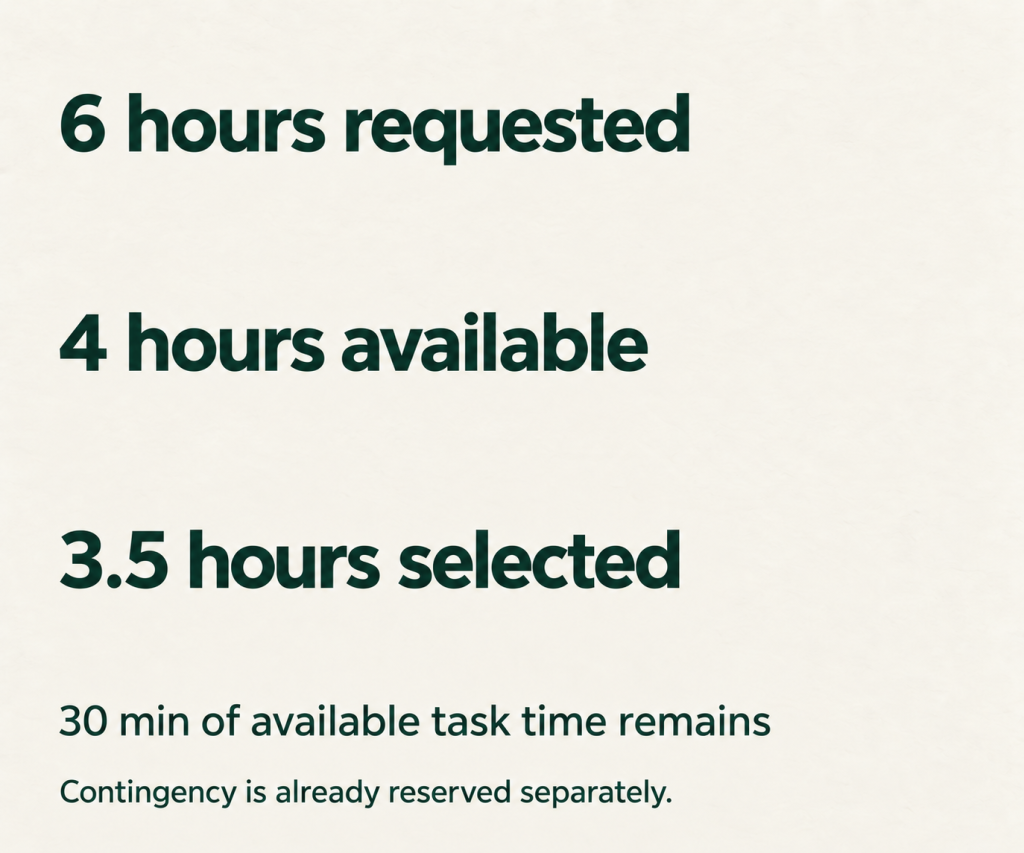
That last step matters. A list of ten priorities can still leave you with six hours of work and only four hours available. You need to decide what to finish, what to move, and which commitments to discuss with someone else.
The worked example below shows how to make those decisions. After that, the seven methods explain different parts of the process: the Eisenhower Matrix separates urgency from importance, ABCDE makes consequences visible, and time blocking gives the chosen work a place in your day. Use the methods that solve your problem; you do not need to apply all seven at once.
How to prioritize tasks when everything feels urgent
Consider an illustrative Tuesday for a project coordinator. This is a made-up example, not a client case study. The workday runs from 9 a.m. to 5 p.m., and eight tasks are competing for attention.
Step 1 Make the consequences and dependencies visible
Write each task as something you can finish. Add the deadline, the consequence of waiting, and a realistic estimate. Use the time similar work has taken before, including checking and sending the result.
| Task | Deadline and consequence | Dependency | Estimate |
|---|---|---|---|
| Approve the designer’s brief | Tuesday 10 a.m.; a delay costs the designer a production slot | The designer cannot start before approval | 15 min |
| Finish and send a client proposal | Tuesday 3 p.m.; a late proposal misses the buyer’s review | Required pricing is already available | 90 min |
| Correct and resend a client report | Wednesday 9 a.m.; the client needs accurate figures for a meeting | You have the source data and no work time before that meeting | 45 min |
| Draft a workshop outline | Final workshop is Friday; leaving the outline late squeezes review time | A colleague needs the outline by Wednesday noon | 60 min |
| Build an internal status deck | Manager requested Tuesday 4 p.m.; ask what decision it supports | The underlying dashboard is already current | 60 min |
| Export the monthly data | Wednesday noon; another colleague needs the export for analysis | A trained teammate also has access | 30 min |
| Attend an optional webinar | Tuesday 1 p.m.; no current project depends on attending | A recording will be available | 45 min |
| Tidy the downloads folder | No deadline; postponing creates no material problem today | None | 15 min |
The list totals 360 minutes, or six hours. The brief takes only 15 minutes, but delaying it would hold up another person. The workshop is due Friday, but its review dependency creates an earlier working deadline. Those details matter more than which task feels easiest to start.
Step 2 Calculate what can fit today
The eight-hour workday contains 480 minutes. Before adding tasks, subtract:
- 90 minutes of fixed meetings
- 60 minutes for lunch and a break
- 60 minutes for communication, coordination, and the end-of-day review
- 30 minutes of contingency time
That leaves 240 minutes for the task list. The original 360-minute list exceeds this capacity by 120 minutes. Even removing the contingency would not make everything fit.
Step 3 Choose what to finish and negotiate what moves
Protect these four outcomes:
- Approve the brief first. Its 10 a.m. deadline and the designer’s blocked work make it the first action.
- Finish and send the proposal. It has a firm same-day deadline and a clear commercial consequence.
- Correct and resend the report today. Wednesday morning offers no usable time before the client’s meeting.
- Draft and send the workshop outline for review. Protecting an hour now keeps the review window open.
Together, these tasks need 210 minutes. Here is what happens to the rest:
Discuss the status deck with the manager. In this example, the manager confirms that the decision meeting is Wednesday noon and agrees to receive the deck by Wednesday 11 a.m. Reserve a real opening from 9 to 10 a.m. Wednesday to build it. Until the manager agrees, Tuesday 4 p.m. remains the commitment.
Delegate the data export only after the teammate confirms they have capacity. Specify the fields, file format, and return time of Wednesday 10 a.m. Keep a reminder to check the file before the noon handoff. Delegation changes who does the work; it does not remove responsibility for the result.
Skip the live webinar. Keep the recording link only if it serves a current learning goal; do not automatically create another obligation to watch it.
Leave folder cleanup off today’s plan. Reconsider it when there is spare capacity or a specific problem to solve.
Use 15 minutes within the existing communication windows to agree on the deck deadline and the export handoff. That coordination time is already included in the day’s capacity calculation.
If the manager cannot move the deck deadline or the teammate cannot take the export, recalculate before committing. Explain which deliverable would be displaced and ask the person responsible for the competing priorities to choose. A different ranking system cannot create extra hours.
Step 4 Put the selected work on the calendar
| Time | Plan | Minutes |
|---|---|---|
| 9:00–9:15 | Approve and send the designer’s brief | 15 |
| 9:15–10:45 | Finish, check, and send the proposal | 90 |
| 10:45–11:00 | Break | 15 |
| 11:00–12:00 | Fixed meeting | 60 |
| 12:00–12:45 | Lunch | 45 |
| 12:45–1:15 | Messages and coordination; confirm the deck change and export handoff | 30 |
| 1:15–2:15 | Draft and send the workshop outline | 60 |
| 2:15–2:30 | Unallocated time or transition | 15 |
| 2:30–3:00 | Fixed meeting | 30 |
| 3:00–3:45 | Correct, check, and resend the client report | 45 |
| 3:45–4:00 | Unallocated time or transition | 15 |
| 4:00–4:30 | Contingency for overruns or unexpected work | 30 |
| 4:30–5:00 | Messages, follow-up, and tomorrow’s review | 30 |
The full schedule totals 480 minutes. Selected tasks occupy 210 minutes, leaving 30 minutes of the original task capacity unallocated, in addition to the 30-minute contingency.
The workshop comes before the report on the calendar because it fits the uninterrupted hour after lunch. The report still finishes before its deadline. Priority determines what receives protection; deadlines, dependencies, and available blocks determine the final sequence.
At the end of the day, confirm that the four outputs were sent, check Wednesday’s commitments, and update estimates for anything that ran long. If new work arrives, decide what gives up time before adding it to the plan.
For the wider view, use How to Time Block Your Week to distribute commitments across several days. Today’s unfinished work still needs to fit somewhere in the week.
How the seven methods fit this example
The Eisenhower Matrix helps separate urgent commitments from important preparation. ABCDE helps compare the consequences of delay. The Pareto Principle prompts you to identify work with disproportionate value, without assuming an exact 80/20 split. Eat That Frog helps you begin important work you might avoid. The Ivy Lee Method keeps the daily list short and ordered. Time blocking checks whether the work fits. A task app or paper list records the decisions, owners, and follow-up dates.
Start with the method that addresses your immediate difficulty. If you already know the priorities but cannot fit them into the day, you need a capacity decision before another scoring system.
Method 1. The Eisenhower Matrix: Urgency vs. Importance
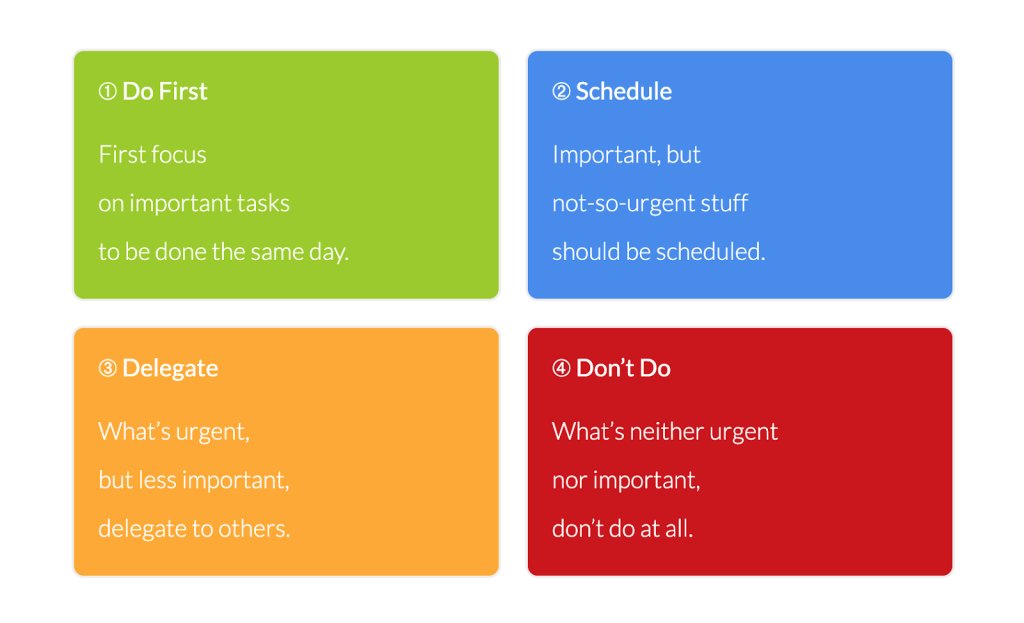
The Eisenhower Matrix sorts tasks by urgency and importance. Urgency asks how soon something needs attention. Importance asks what the task contributes to a meaningful goal or what happens if it is left undone. A deadline can matter without making every request equally valuable.
How It Works
• Urgent and Important: Do these tasks immediately.
• Important, Not Urgent: Schedule these tasks.
• Urgent, Not Important: Delegate these tasks if possible.
• Neither Urgent Nor Important: Eliminate these tasks.
In First Things First, Stephen R. Covey, A. Roger Merrill, and Rebecca R. Merrill describe planning around importance as well as urgency. The book provides practical guidance; it is not a controlled study showing that this matrix produces a particular outcome.[1]Covey, Stephen R., A. Roger Merrill, and Rebecca R. Merrill. First Things First. Book; official publisher page. https://www.simonandschuster.com/books/First-Things-First/Stephen-R-Covey/9780684802039
Explanation and Rationale
Use the matrix to notice important preparation before it becomes urgent. In the worked example, the workshop outline deserves a protected block even though the final workshop is several days away. Check dependencies before classifying a task as safe to delay.
When to Use
• When you have a mix of urgent and non-urgent tasks.
• When you need to distinguish between what’s critical and what’s not.
When Not to Use
• When all tasks are equally urgent. Alternative Method: Use the ABCDE Method to prioritize tasks based on their overall impact and consequences.
• When you are dealing with a highly specific task list with no room for delegation or elimination. Alternative Method: Apply the Ivy Lee Method to focus on the most important tasks without categorizing by urgency.
Method 2. The Pareto Principle: Focus on the 20%
The Pareto Principle is a prompt to look for uneven results: some activities may contribute much more than others to the outcome you want. For prioritization, ask which task is most likely to make a meaningful difference. Treat 80/20 as a useful rule of thumb, not a guaranteed ratio for your workload.
How It Works
• Identify tasks that have the most significant impact on your goals.
• Prioritize these tasks over less impactful ones.
A study by Richard Koch in “The 80/20 Principle” demonstrated that businesses and individuals who applied this principle saw substantial improvements in productivity and outcomes. The principle has been widely validated across various fields, including economics and project management.
Explanation and Rationale
Richard Koch’s The 80/20 Principle applies this idea to work and business. It is a practical business book, not a study establishing that everyone can obtain 80 percent of their results from 20 percent of their tasks. Check your own results before assuming which activities have the greatest value.[2]Koch, Richard. The 80/20 Principle. Book; author’s description. https://richardkoch.net/books/320-the-80-20-principle-the-secret-to-achieving-more-with-less
When to Use:
• When you need to identify and prioritize high-impact tasks.
• When you want to improve efficiency by focusing on the most productive activities.
When Not to Use
• When tasks are equally critical and require equal attention. Alternative Method: Use the Eisenhower Matrix to determine which tasks are urgent and important.
• When the workload is distributed evenly across tasks. Alternative Method: Apply the Time Blocking method to manage and allocate time for each task effectively.
Method 3. Eat That Frog: Start with Important Work You Avoid
Brian Tracy’s Eat That Frog approach encourages starting with an important task you are likely to put off. The useful question is which difficult task matters enough to deserve protected attention. Difficulty alone does not make a task a priority.[3]Tracy, Brian. Eat That Frog, Explained By Brian Tracy. Author’s practical method. https://www.briantracy.com/blog/time-management/the-truth-about-frogs/

How It Works
- Choose an important task you have been avoiding.
- Define a finishable outcome or the next meaningful step.
- Place it in an early suitable focus block, after handling any time-critical dependency.
Explanation and Rationale
In the worked example, the proposal receives the first long focus block. The short brief approval comes first because another person is waiting and the deadline is earlier. You can protect demanding work without treating “hardest first” as an absolute rule.
Choose a time when you can concentrate and the required information is available. Morning may suit you, but the method does not require assuming that everyone’s willpower steadily runs out over the day.
When to Use
- An important, clearly defined task keeps being postponed.
- You have a suitable block of focused time and the inputs needed to begin.
When Not to Use
- A more urgent commitment or blocked colleague needs attention first. Check the consequences and deadline before choosing your first task.
- Your best focus time is later or essential information has not arrived. Use time blocking to reserve a realistic start time.
Method 4. Time Blocking: Schedule Specific Tasks
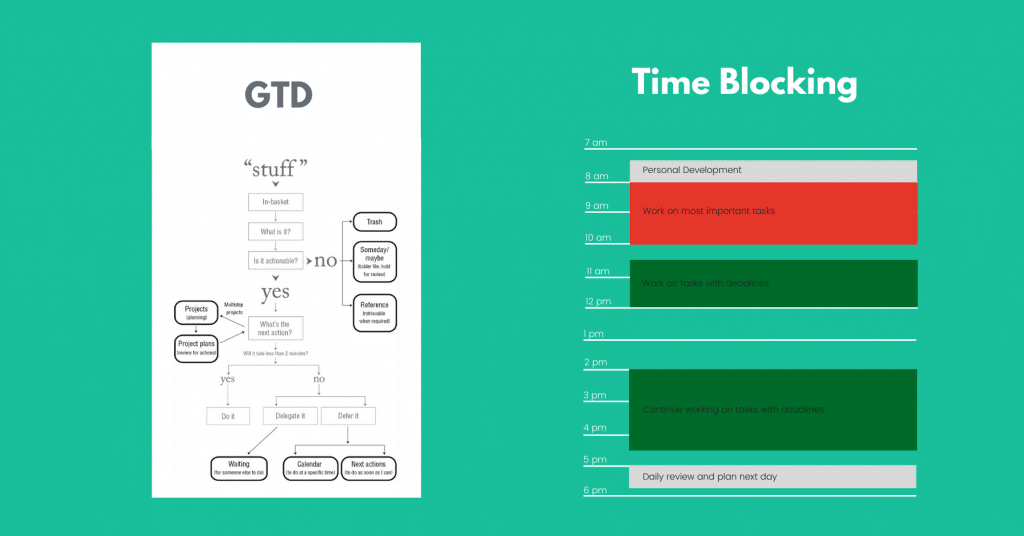
Time blocking assigns specific periods to tasks or groups of tasks. After choosing your priorities, put them beside meetings, communication, breaks, and other commitments. The calendar shows whether your list fits and where a change would displace something else. For the basic process, see the Ultimate Guide to Time Blocking.
How It Works
- Divide your day into blocks of time.
- Assign specific tasks to each block.
- Avoid switching tasks during these blocks.
An experiment by Gloria Mark, Daniela Gudith, and Ulrich Klocke found that interrupted participants completed the study tasks faster but reported more stress, frustration, effort, and time pressure. That finding supports taking interruptions seriously. The experiment did not test time blocking itself or establish a universal recovery time for every distraction.[4]Mark, Gloria, Daniela Gudith, and Ulrich Klocke. 2008. The Cost of Interrupted Work: More Speed and Stress. CHI 2008. Experimental study. https://www.ics.uci.edu/~gmark/chi08-mark.pdf
Explanation and Rationale
A defined block gives one task an agreed place in the day and makes its trade-offs visible. Use estimates you can defend, include the time needed to check and send the work, and leave room to adjust. If the task does not fit, change the scope, timing, or workload before treating the calendar as a commitment.
When to Use
- When you need to focus on complex or deep work.
- When you want to minimize distractions and multitasking.
When Not to Use
- If your work is highly reactive, rigid blocks may be difficult to protect. Use shorter blocks, visible buffer, and a priority list you can return to between interruptions.
- If you have many short tasks, group compatible ones in a single administration or communication block rather than scheduling each minute separately.
Method 5. The Ivy Lee Method: Simplify Your To-Do List
The Ivy Lee Method uses a short, ordered list for the next day. Its traditional version asks you to choose six tasks. Use that number as a limit to consider, then check the time required. Four substantial tasks can be more than enough for a full day.

How It Works
- At the end of each workday, write down the six most important tasks for the next day.
- Prioritize them in order of importance.
- Work through the list, starting with the first task.
Before committing to the list, add up the estimates and compare them with your available time. If the list does not fit, decide what moves. In the worked example, the final list contains four outputs totaling 210 minutes; adding two more simply to reach six would make the plan less useful.
Explanation and Rationale
An ordered list gives you a clear return point after a meeting or interruption. Revisit the order when deadlines, dependencies, or consequences change. Carry unfinished work forward only after checking that it still matters and fits the next day.
When to Use
- When you want to streamline your to-do list and focus on the most important tasks.
- When you need a simple, effective method to organize your day.
When Not to Use
- When several necessary commitments will not fit the available hours, use ABCDE to clarify consequences and discuss the capacity conflict with the relevant people. Choosing six items does not resolve an impossible workload.
- When your schedule is too dynamic to plan the night before. Alternative Method: Apply Time Blocking to allocate time for tasks as they come up during the day.
Method 6. ABCDE Method: Categorize Tasks by Priority
Brian Tracy’s ABCDE Method labels tasks by the consequences of doing or delaying them. It also prompts you to delegate work appropriately and remove unnecessary tasks. Within the A category, use A1, A2, and A3 to make the order explicit.[5]Tracy, Brian. How to Set Priorities Using the ABCDE Method. Author’s practical method.

How It Works
- A: Must do – serious consequences if not done.
- B: Should do – minor consequences if not done.
- C: Nice to do – no consequences if not done.
- D: Delegate – tasks someone else can do.
- E: Eliminate – tasks that do not need to be done.
Describe the consequence before assigning a letter. “Important” is less useful than “the client needs these corrected figures for a meeting at 9 a.m.” When two A tasks compete, compare deadlines and dependencies, then discuss any conflict that cannot fit your capacity.
Explanation and Rationale
The labels make your decisions easier to explain and revisit. They do not give permission to move someone else’s deadline or hand work to a colleague without checking. Confirm any changed commitment and record who owns the next action.
When to Use
- When you need to prioritize tasks based on their importance and consequences.
- When you want a clear system for delegating or eliminating tasks.
When Not to Use
- When all tasks seem equally important. Alternative Method: Use the Pareto Principle to identify the few tasks that will yield the most significant results.
- When your tasks require a more dynamic approach to scheduling. Alternative Method: Apply Time Blocking to adapt to changing priorities throughout the day.
Method 7. Use Technology Wisely: Tools and Apps
Use a task list, calendar, or app to keep your priorities visible. Tools such as Trello, Asana, or Todoist can be options, but start with the system you already review. The useful information is the task, owner, deadline, next action, and any dependency.

How It Works
- Use project management tools to organize and prioritize tasks.
- Set deadlines and reminders to stay on track.
- Utilize features like labels, tags, and boards to categorize tasks.
In the worked example, the system needs to show four tasks for today, the agreed Wednesday deck deadline, and a reminder to check the delegated export. It also needs to keep the optional webinar from appearing as an overdue commitment. A paper list can do this if you reliably review it.
Explanation and Rationale
Choose a tool that helps you record and revise decisions with little maintenance. If you spend more time organizing labels than completing work, simplify the setup. The tool should make the next action easier to find.
When to Use
- When you need to manage and track multiple tasks or projects.
- When you want to improve collaboration and communication within a team.
When Not to Use
- When you prefer manual or paper-based systems. Alternative Method: Apply the Ivy Lee Method for a simple, low-tech approach to organizing tasks.
- When the task complexity doesn’t justify the use of digital tools. Alternative Method: Use the ABCDE Method to prioritize tasks without the need for digital tools.
Conclusion

Start with today’s actual constraints. Check deadlines and consequences, identify what another person needs from you, and estimate the work honestly. Then protect a short list of outcomes and make an explicit decision about everything that does not fit.
The next useful step is to try this with your own task list. Choose what you will finish today, put it in a realistic block, and agree on any commitment that needs to move.
If you want help turning those decisions into a weekly plan, the free 7-Day Time Blocking Reset includes a workbook and seven short email lessons. You will also join The Weekly Signal and can unsubscribe anytime.



