
How can you maintain iPhone data security for 2025?
The increasing number of cyber threats and widespread privacy issues make iPhone data protection absolutely essential. Statistics reveal that the number of data breaches experienced a threefold increase between 2013 and 2021 which resulted in 1.1 billion personal records being exposed around the world during 2021 alone.
The good news?
The necessary protection for your iPhone comes from using a dependable VPN service. According to the latest statistics 52% of VPN users operate on iOS devices which proves iPhone users recognize the need for extra security measures.
Breaking Down iPhone Security
- iPhone Security Features
- Why You Need a VPN
- Choosing the Right VPN
- Setting Up Your VPN
- Common VPN Mistakes to Avoid

iPhone’s Built-in Security: Not Enough Anymore
Apple has made huge strides in security. Apple has implemented advanced security features which include iMessage Contact Key Verification and Security Keys for Apple ID along with Advanced Data Protection for iCloud utilizing end-to-end encryption.
But here’s the problem…
The protection provided by these features fails to secure your data during internet browsing and public WiFi usage. That’s where a VPN comes in.
Think about it:
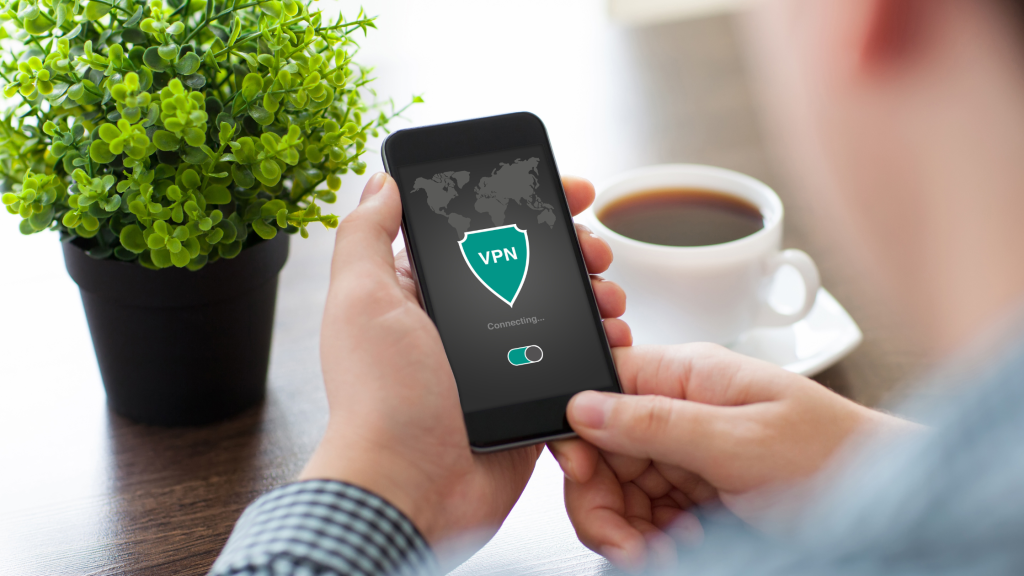
When you use public WiFi networks at places like coffee shops, airports, or hotels your data becomes susceptible to interception. A VPN for iPhone creates an encrypted tunnel that protects your:
- Browsing history
- Personal information
- Banking details
- Messages and emails
- App data
Your iPhone requires VPN protection in 2025 to ensure data security.
The digital landscape is changing fast. Modern cyber threats continue to advance while personal information gains unprecedented value.
The distribution of VPN users reveals distinct regional patterns with one-fifth located on the Pacific coast and 16% based in South Atlantic states. Regions that demonstrate high levels of technology adoption and awareness about privacy protection are at the forefront of safeguarding personal data.
Here’s why you need a VPN for your iPhone:
1. Public WiFi Protection
It’s a fact that everyone uses free public WiFi networks at one time or another. Public WiFi networks offer convenience for remote work at the coffee shop or email access at the airport but pose significant security threats. Without a VPN, hackers can:
- Intercept your passwords
- Steal your credit card details
- Access your personal messages
- Monitor your browsing activity
2. ISP Data Collection Prevention
Your Internet Service Provider (ISP) has the ability to monitor all of your online activities. They can:
- Track which websites you visit
- Monitor your streaming activities
- Collect and sell your browsing data
- Throttle your connection based on usage
3. Geo-Restriction Bypassing
Here’s something interesting…
Your geographic location determines which content streaming services and websites will show you. A VPN allows you to:
- Access region-locked content
- Watch your favorite shows while traveling
- Get better prices on flights and hotels
- Use services not available in your country
4. Enhanced Privacy Features
The best iPhone VPNs offer additional privacy features like:
- Kill switches that prevent data leaks
- Split tunneling for selective encryption
- Double VPN routing for extra security
- No-logs policies for complete privacy
But here’s the catch…
Not all VPNs are created equal. Certain VPN services may put your security at risk rather than protecting it.
What factors should you consider when selecting the best VPN for your iPhone?
Choosing the right VPN can be overwhelming. Users have hundreds of VPN options but should consider only a few trustworthy ones. Here’s what to look for:
Speed and Performance
The VPN you choose should operate at high speeds so you don’t notice its presence. Look for:
- Multiple server locations for better speeds
- Modern VPN protocols like WireGuard
- Unlimited bandwidth
- Low latency connections
Privacy and Security Features
The whole point of a VPN is protection, so make sure yours offers:
- Military-grade encryption (AES-256)
- Perfect forward secrecy
- DNS leak protection
- Independently audited security
User-Friendly Features
The VPN you choose should provide simplicity without requiring constant effort to use. The best VPNs for iPhone include:
- One-tap connect options
- Automatic server selection
- Easy-to-navigate interface
- Quick customer support access
Setting Up Your iPhone VPN
The setup process for your VPN becomes simple once you have selected one. Major providers deliver exclusive iOS applications which automate all necessary functions. Here’s the typical process:
- Go to the App Store to get the app.
- Create an account or sign in
- Allow VPN configurations when prompted
- Choose your preferred server
- Tap connect and you’re protected
But remember this…
Always test your VPN after setup. To verify that your connection uses proper encryption and hides your actual IP address access ipleak.net or whatismyip.com.
Common VPN Mistakes to Avoid
Your security can be undermined by user mistakes even if you utilize the best VPN services. Here are some critical mistakes to avoid:
Using Free VPNs
Think twice before downloading a free VPN. Many free VPNs:
- Sell your data to advertisers
- Contain malware
- Offer weak encryption
- Have significant speed limitations
Forgetting to Enable Auto-Connect
Users who forget to enable their VPN make a significant security error. Make sure to:
- Set up auto-connect on WiFi
- Enable VPN on cellular data
- Use the kill switch feature
- Keep your VPN app updated
Not Checking VPN Settings
A lot of users establish their VPN service but then disregard its maintenance. You should regularly:
- Verify your encryption settings
- Check for DNS leaks
- Update your VPN app
- Test your connection speed
VPN Optimization Tips
Maximize your iPhone VPN usage with these expert tips. Here are some pro tips:
Server Selection
Choose the right server to maximize your VPN performance:
Opt for VPN servers that are near your geographic location to enhance connection speed.
- Use specialized servers for streaming or gaming
- Switch servers during peak hours
- Keep a list of favorite servers handy
Battery Life Management
VPNs can impact your iPhone’s battery life. To minimize this:
- Use split tunneling for non-essential apps
- Enable auto-connect only on unsecured networks
- Choose energy-efficient protocols
- Make sure to shut down the VPN app whenever you do not need it.
Troubleshooting Common VPN Issues
Top-tier VPN services occasionally encounter operational problems. Here’s how to fix the most common problems:
Slow Connection Speeds
If your VPN is running slowly:
- Try a different server location
- Switch to a different protocol
- Check your base internet speed
- Clear your app cache
- Update your VPN app
Connection Drops
Random disconnections can expose your data. If this happens:
- Check your internet connection
- Verify your subscription is active
- Try a different server
- Reinstall the VPN app
- Contact customer support
App Compatibility Issues
Sometimes apps won’t work with a VPN. To resolve this:
- Use split tunneling to exclude problematic apps
- Try different server locations
- Keep your VPN and affected applications up-to-date.
- Check for any restrictions in your region
Making the Most of Your VPN
Obtaining a VPN marks only your initial move on this journey. Here’s how to maximize your investment:
Regular Security Checks
Make it a habit to:
- Test for IP leaks monthly
- Update your VPN app regularly
- Review your VPN’s privacy policy
- Monitor your connection speeds
Creating Usage Rules
Develop a system for when to use your VPN:
- Always on public WiFi
- When accessing financial services
- While traveling internationally
- For sensitive communications
The Bottom Line: Protecting Your Digital Life
Your iPhone contains all your digital life information which includes banking information along with personal messages. By 2025 using a VPN becomes essential for safeguarding your online privacy and security.
Think about it this way…
Without the protection of a VPN whenever you connect to the internet your data becomes accessible to anyone who chooses to intercept it. The risk to digital security has reached unprecedented levels due to the advancement of cyber threats and the tripling of data breaches in recent years.
Remember these key points:
Select a trustworthy VPN company known for robust security protections.
- Always enable your VPN on public WiFi
- Regularly check and update your VPN settings
Steer clear of free VPN services which could put your personal information at risk. - Use auto-connect features to stay protected
Most importantly, make VPN usage a habit. Think about how you secure your home with a locked door before leaving; you must activate your VPN before accessing the internet.



