
If you’ve abandoned your calendar more than once, you’re not alone.
Maybe Monday looked perfect.
Then a client called.
A meeting ran long.
Your child got sick.
You missed one block.
Then another.
By Wednesday, your carefully planned week had become nothing more than colorful rectangles mocking you from Google Calendar.
Many people conclude that time blocking doesn’t work.
In reality, most people don’t need a better calendar.
They need a better reset system.
A good reset helps you return to your schedule without guilt, overplanning, or pretending the week will suddenly become predictable.
If you are new to the method, start with my Ultimate Guide to Time Blocking. If you already understand the basics and want a practical tool, you can also use one of my free printable time blocking templates alongside this reset.
The most productive people don’t stay perfectly organized every week. They recover faster when life disrupts their plans.
This guide shows you a practical seven-day reset that helps you rebuild your schedule without guilt, perfectionism, or spending hours redesigning your calendar.
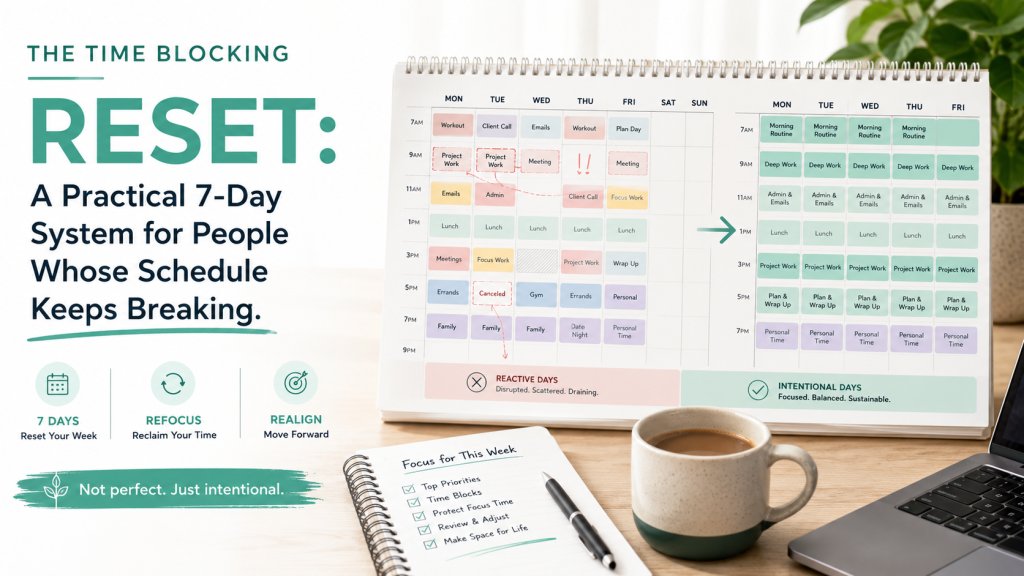
Why Most Time Blocking Systems Fail
People often think the problem is discipline.
Usually it isn’t.
The real issue is that most time-blocking advice assumes life is predictable.
It isn’t.
Real work includes:
- urgent requests
- changing priorities
- client feedback
- family responsibilities
- unexpected meetings
- low-energy days
If your system can’t survive those realities, the system, not you, is the problem.
This is also why it helps to understand the difference between time blocking and related methods. In my Time Blocking vs Time Boxing Guide 2026, I explain that time blocking is mainly about assigning work to your calendar, while time boxing adds a fixed limit to how long you will spend on a task.
That distinction matters because a reset is not about forcing yourself into a rigid box.
A resilient calendar should expect disruption.
The Three Rules of a Reset
Before rebuilding your week, adopt these principles.
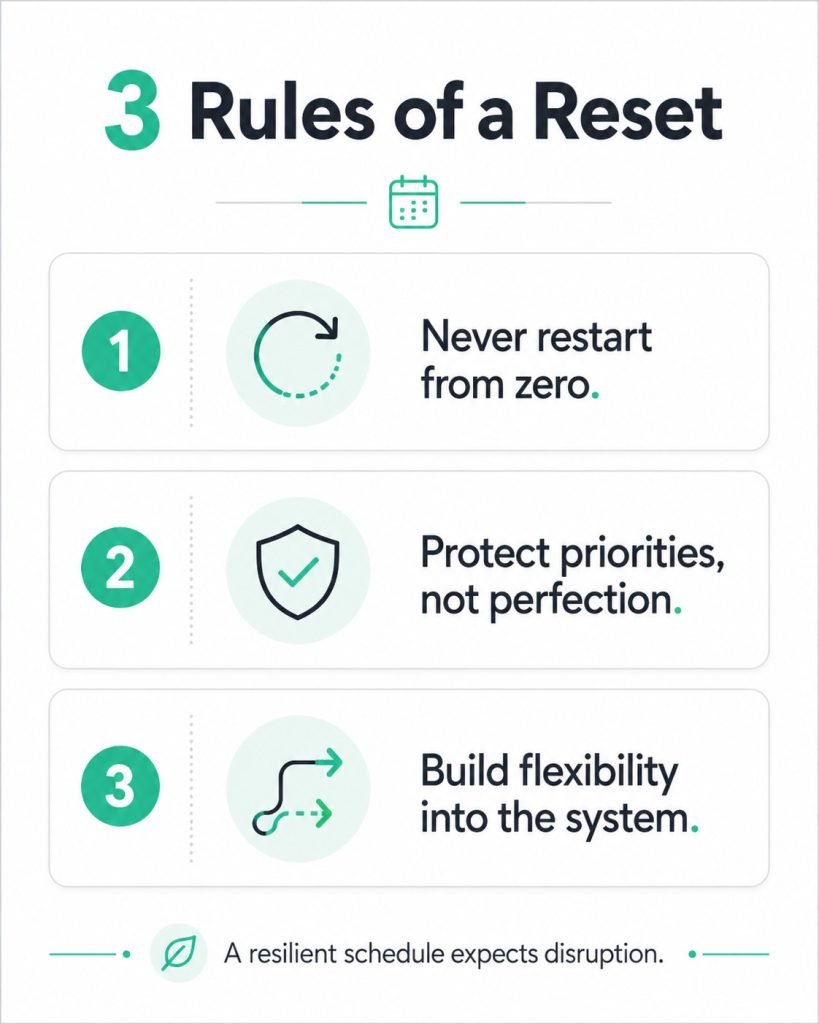
1. Never restart from zero
Don’t erase everything because one day went badly.
Professional athletes don’t quit a season after one poor game.
Treat your calendar the same way.
Your schedule is not a test you pass or fail. It is a working system you adjust.
If you need a clean starting point, use your existing calendar or one of these time blocking templates and only rebuild the next few days.
You do not need to redesign your whole life.
2. Protect priorities, not perfection
The purpose of time blocking isn’t following a schedule exactly.
The purpose is making sure the important work actually happens.
If deep work moves from Tuesday morning to Wednesday afternoon, that’s still success.
A good time blocking system protects your priorities even when the specific time changes.
This is where categories can help. Instead of trying to schedule every tiny task, group your work into simple categories such as deep work, admin, meetings, family, recovery, and learning. I wrote more about this in my guide to time blocking categories.
3. Build flexibility into the system
Your calendar should absorb change.
Not collapse because of it.
Think of your schedule as navigation software.
When you miss a turn, it recalculates.
It doesn’t tell you to drive home.
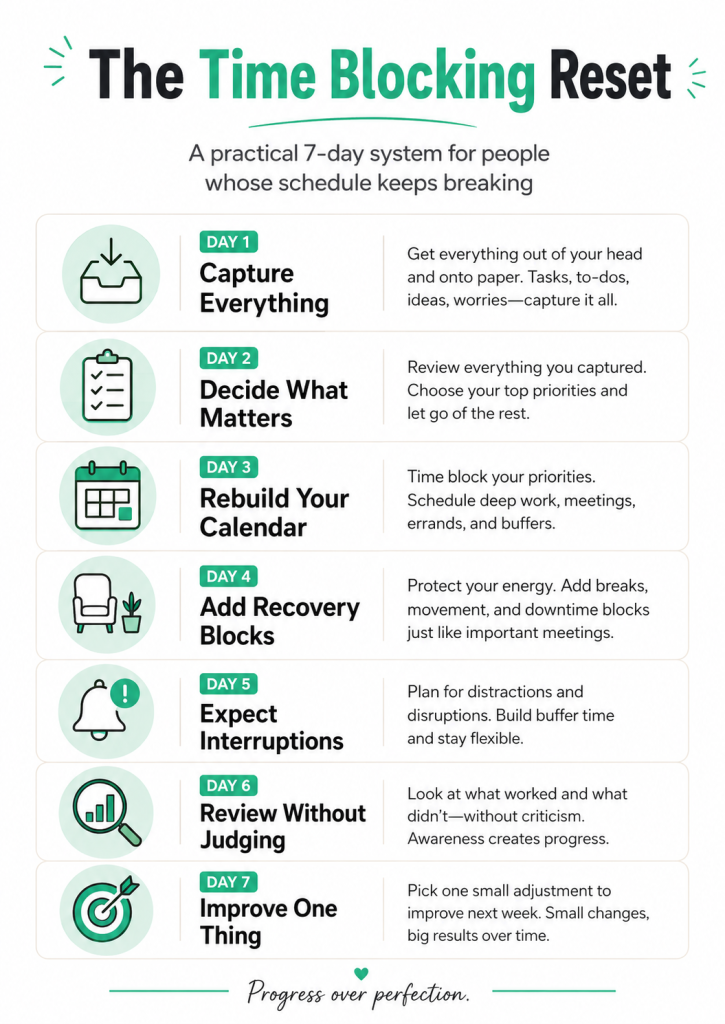
The 7-Day Time Blocking Reset
Day 1: Capture Everything
Don’t start with the calendar.
Start with your brain.
Write down:
- unfinished tasks
- commitments
- ideas
- emails needing replies
- appointments
- deadlines
Don’t organize yet.
Just empty your head.
Many people feel more productive after this step alone because uncertainty disappears.
This is also one reason Getting Things Done and time blocking work well together. GTD helps you capture and clarify commitments, while time blocking helps you decide when those commitments will actually happen. I explain this more in GTD and Time Blocking.
Day 2: Decide What Actually Matters
Now sort everything into three groups.
Must happen
Critical deadlines.
Client deliverables.
Important meetings.
Family commitments.
Should happen
Projects that move you forward.
Learning.
Planning.
Business development.
Could happen
Everything else.
These are optional.
Most calendars fail because everything receives equal importance.
Everything isn’t equally important.
If you constantly feel behind, the issue may not be effort. It may be poor prioritization. I covered some of the consequences in 16 Effects of Poor Time Management.
Day 3: Rebuild Your Calendar
Now open your calendar.
Start with:
- sleep
- meals
- exercise
- family
- fixed appointments
Then add deep work.
Finally add administrative work.
Don’t schedule every minute.
Leave empty space.
White space is not wasted space.
It is recovery capacity.
If you use Google Calendar, my step-by-step guide on how to time block on Google Calendar can help you turn this reset into an actual calendar setup.
Day 4: Add Recovery Blocks
Most productivity systems ignore recovery.
Your brain doesn’t.
Schedule:
- walking
- lunch
- breaks
- transition time
- email catch-up
These aren’t rewards.
They’re infrastructure.
Without recovery, tomorrow’s deep work becomes today’s procrastination.
Day 5: Expect Interruptions
Choose one block called:
Reset Block
Thirty to sixty minutes.
Every day.
Use it for:
- rescheduling
- catching up
- responding to surprises
- planning tomorrow
Ironically, planning for interruptions creates a more reliable schedule.
This is especially useful for freelancers, consultants, managers, parents, and anyone whose workday depends on other people. If your work is client-driven, you may also find my broader productivity blog for freelancers useful.
Day 6: Review Without Judging
Ask:
Which blocks worked?
Which didn’t?
Why?
Avoid saying:
“I’m terrible at time blocking.”
Instead ask:
“What made this block unrealistic?”
Small changes produce better systems.
Self-criticism doesn’t.
This is where Kaizen thinking becomes useful. Instead of trying to overhaul your entire schedule, improve one small part of the system at a time. I shared workplace examples of this approach in 15 Practical Kaizen Examples.
Day 7: Improve One Thing
Don’t redesign your life every Sunday.
Improve one thing.
Maybe:
- shorter focus sessions
- fewer meetings
- earlier deep work
- more buffer time
- realistic task estimates
Tiny improvements compound.
The goal isn’t a perfect calendar.
The goal is a calendar that is slightly better than last week.
If you are using time blocking to improve a serious skill, connect it with practice. Time blocking gives deliberate practice a place to happen. You can explore that connection in my article on Deliberate Practice by Anders Ericsson.
A Sample Reset Schedule
| Day | Focus |
|---|---|
| Monday | Brain dump and capture |
| Tuesday | Prioritize |
| Wednesday | Calendar rebuild |
| Thursday | Add recovery blocks |
| Friday | Buffer and catch-up |
| Saturday | Weekly review |
| Sunday | Adjust one improvement |
Notice that none of these require buying another productivity app.
The system works with almost any calendar.
Common Mistakes to Avoid
Scheduling Every Minute
People consistently underestimate how long work takes.
Leave breathing room.
Ignoring Energy
Your calendar tracks time.
Your body tracks energy.
Schedule demanding work when you’re mentally strongest.
Using One Giant To-Do List
Tasks belong inside calendars.
Not floating endlessly in a list.
Never Reviewing
A calendar without review becomes history instead of guidance.
Five to ten minutes each day is usually enough.
Treating Every Week as Unique
Most weeks follow similar patterns.
Reuse what works.
Templates reduce decision fatigue. If you don’t want to start from scratch, choose one of my free time blocking templates and adapt it to your real week.
What If Your Week Completely Falls Apart?
Sometimes everything changes.
Travel.
Illness.
Family emergencies.
Major projects.
When that happens, don’t try to “catch up.”
Instead ask:
“If today were Monday, how would I plan the rest of the week?”
This question shifts your thinking from recovery to redesign.
Build Systems, Not Streaks
Many productivity methods reward consistency.
Consistency matters.
But resilience matters more.
A good system survives disruption.
A great system improves because of it.
That’s the difference between a schedule you eventually abandon and one you can use for years.
If you want to go deeper into the broader method, read my Ultimate Guide to Time Blocking or compare this approach with time boxing.
Your Next Step
If you’ve struggled with time blocking before, don’t create a brand-new productivity system.
Reset the one you already have.
Start with a brain dump today.
Protect your priorities tomorrow.
Improve one thing next week.
Repeat.
Eventually, your calendar stops being something you fight.
It becomes a system that quietly supports your best work.
Download the Free Time Blocking Reset Checklist
Want a printable version of this 7-day reset?
Download the Time Blocking Reset Checklist and keep it beside your weekly planning session.
Inside you’ll find:
- The complete 7-day reset workflow
- A weekly planning template
- A daily review checklist
- Reflection questions for improving your schedule every week
Or, if you enjoy practical systems for productivity, business growth, AI workflows, and better decision-making, subscribe to The Weekly Signal. Every week you’ll receive one actionable idea you can apply in less than 15 minutes.



