
Managing your personal workflow effectively is crucial to achieving both personal and professional success. With a constant stream of tasks and responsibilities, having a structured system in place can help you stay organized, focused, and productive. This guide will explore the essential components of personal workflow management, offering insights into how productivity apps, task management tools, and workflow systems can transform the way you handle your daily tasks. Whether you’re juggling work projects, personal tasks, or family commitments, mastering personal workflow management for both professional and personal use is just the beginning of realizing your full potential.

Understanding Productivity and Its Importance
Understanding productivity and its significance is essential for achieving success in both personal and professional realms. Productivity is not merely about completing tasks; it’s about optimizing your time and resources to achieve maximum efficiency and effectiveness. By grasping the importance of productivity, you can better prioritize tasks, manage your time, and ultimately enhance your overall performance. This understanding is a crucial step towards developing a personal workflow management system that aligns with your goals and helps you navigate the complexities of daily life with greater ease and satisfaction.
The Essence of Productivity
Productivity is more than just getting things done; it’s about maximizing efficiency and effectiveness in both your personal and professional life. Understanding productivity involves recognizing the value of prioritizing tasks and managing your time effectively. By doing so, you can significantly boost your output and achieve your goals more efficiently.
Benefits of Personal Workflow Management
One of the key benefits of having a personal workflow management system in place is the ability to streamline your tasks and responsibilities. A well-structured system helps you stay organized, focused, and ensures that you are working on the most important tasks at any given time. This not only enhances your productivity but also reduces stress and improves your overall well-being.
Productivity in Different Life Aspects
Moreover, productivity plays a crucial role in both personal and professional settings. In your personal life, it allows you to manage personal tasks and commitments more effectively, freeing up time for leisure and family. Professionally, it enhances your ability to handle work projects and deadlines, leading to better performance and career advancement.
The Journey to a Balanced Life
In essence, understanding and improving productivity is just the beginning of creating a balanced and fulfilling life. By implementing an effective personal workflow management system, you can seamlessly integrate productivity into your daily routine, ensuring that you not only meet your goals but also enjoy the journey.
Embracing Tools for Productivity
Embracing tools like productivity apps, task management systems, and workflow management strategies empowers you to manage personal tasks, work projects, and family commitments with ease. This holistic approach not only enhances your personal productivity but also fosters a sense of accomplishment and well-being, paving the way for a more organized and stress-free life.

Building a Productivity Workflow
Creating a well-defined productivity workflow is essential for managing your personal and professional tasks effectively. By focusing on key components such as task management, note-taking, and time management, you can streamline your processes and enhance your productivity. Below, we’ll break down the steps to build a robust productivity workflow.
Identifying Key Components of a Productivity Workflow
To build an effective productivity workflow, start by identifying the core components that will help you manage your tasks efficiently. These components typically include:
Task Management: This involves organizing and prioritizing your tasks to ensure that you’re focusing on what matters most. Utilize task management apps to keep track of your responsibilities and deadlines.
Note-Taking: Capture and organize your ideas and information with a reliable note-taking app. This will help you maintain a centralized information management system, making it easier to access and connect your notes.
Time Management: Use time management apps to stay focused and on track. Techniques like the Pomodoro method can boost productivity by breaking work into manageable intervals with scheduled breaks.
Creating a Workflow Diagram
Visualizing your productivity system with a workflow diagram can provide clarity and direction. Here’s how to create one:
Map Out Your Tasks: List all your tasks and categorize them based on priority and deadlines.
Define Processes: Outline the steps needed to complete each task, considering dependencies and resources.
Visualize the Flow: Use a diagram to represent the sequence of tasks and processes, highlighting the connections and transitions between them.
Identify Bottlenecks: Look for areas where tasks may get delayed or resources may be limited, and plan solutions to address these issues.

Setting Clear Goals and Outcomes
Establishing clear goals and outcomes is crucial for maintaining focus and motivation. Follow these steps to define your objectives:
Define Your Goals: Clearly articulate what you want to achieve with your productivity workflow, both in the short and long term.
Set Measurable Outcomes: Determine how you will measure success and progress toward your goals.
Align with Personal and Professional Objectives: Ensure that your workflow supports your broader personal and professional aspirations.
These guidelines can help you create a productivity workflow that enhances your efficiency and aligns with your personal and professional goals. This structured approach will empower you to handle your daily tasks with greater ease and satisfaction.
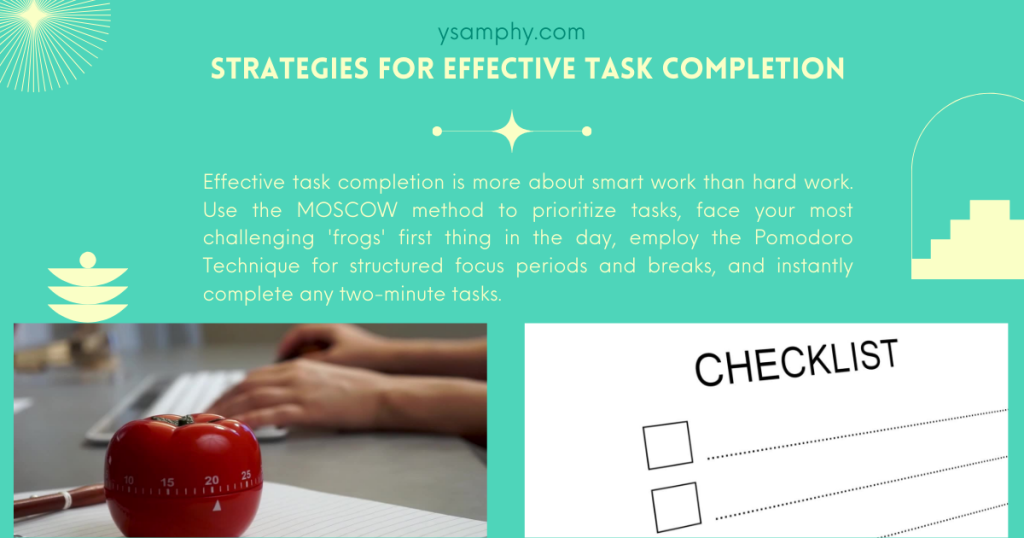
Task Management Essentials
Task management is a cornerstone of personal workflow management, providing the structure needed to tackle both personal and professional responsibilities efficiently. By leveraging productivity apps and tools, you can organize and prioritize your tasks, ensuring that you focus on what’s most important. This section will delve into the essential elements of task management, including utilizing to-do list apps, setting recurring tasks, and implementing reminders to keep your workflow seamless and productive. Embrace these strategies to enhance your personal productivity and achieve a balanced, organized life.
Organizing and Prioritizing Personal Tasks
Effective task management begins with organizing and prioritizing your personal tasks. By utilizing task management apps, you can create a structured approach to handling your responsibilities. These apps allow you to categorize tasks based on urgency and importance, ensuring you focus on what matters most. This structured approach not only enhances your productivity but also reduces the feeling of being overwhelmed by various tasks.
Benefits of a To-Do List App
A to-do list app is an invaluable tool for staying on top of your tasks. It provides a simple yet powerful way to track your daily activities and deadlines. By listing your tasks, you can visually see what needs to be accomplished, helping you maintain focus and motivation. Additionally, a to-do list app can serve as a reminder system, ensuring that no task slips through the cracks.
Leveraging Recurring Tasks and Reminders
Recurring tasks and reminders are essential features in task management apps that help you stay on track. By setting tasks to repeat at regular intervals, you can automate routine activities, freeing up mental space for more critical tasks. Reminders ensure that you never miss a deadline or important event, keeping your workflow smooth and efficient. Embracing these features can significantly enhance your personal productivity and task management capabilities.

Productivity Apps and Tools
Managing your personal and professional tasks efficiently requires the right productivity apps and tools. These tools help streamline your workflow and enhance your ability to stay organized and focused.
Best Productivity Apps for Task Management
Task management is a critical aspect of personal workflow management, and selecting the right productivity apps can make all the difference in how effectively you manage your tasks. The best productivity apps offer features like task prioritization, deadline setting, and progress tracking, all of which are essential for staying organized and focused.
Todoist
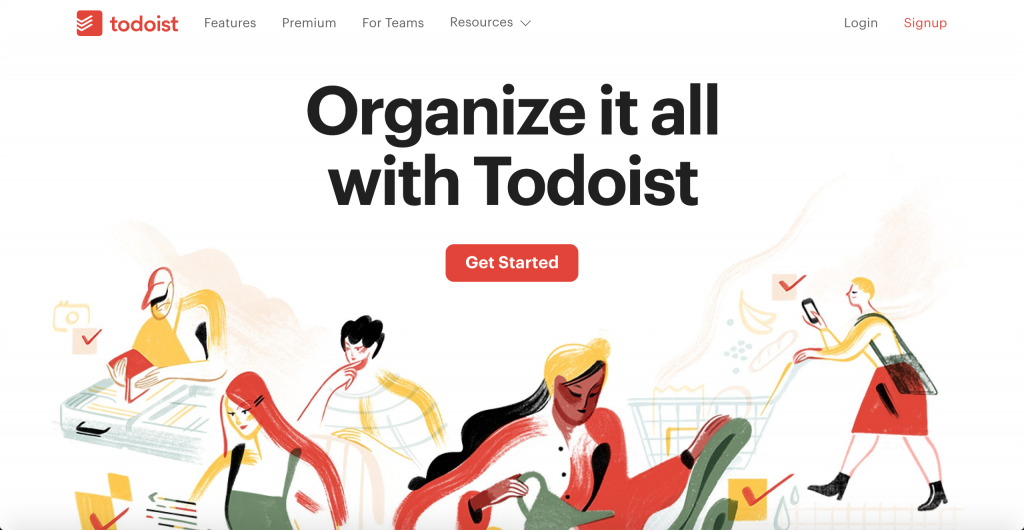
Known for its simplicity and powerful features, Todoist allows you to create and manage tasks with ease. It supports task prioritization, due dates, and labels, helping you organize your workload efficiently. With its cross-platform synchronization, you can access your task list from any device, ensuring you’re always on top of your responsibilities. Todoist also offers a collaborative feature, enabling you to share tasks with family members or colleagues, making it ideal for both personal and professional use.
Asana
Asana is a robust project management tool that excels in organizing complex workflows. It’s perfect for teams and individual users alike, providing a visual way to manage tasks through boards, lists, and timelines. Asana allows you to break down daunting tasks into manageable subtasks, assign responsibilities, and set deadlines, ensuring everyone stays on track. The app’s integration with other productivity tools like Google Calendar and Slack enhances its utility, making it a comprehensive solution for managing both personal tasks and work projects.
Trello
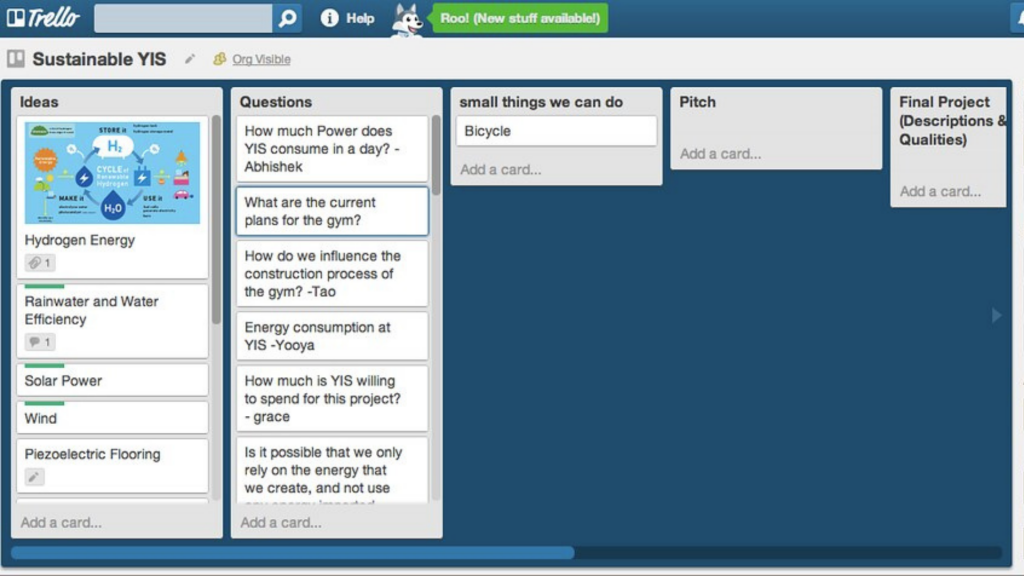
Trello’s intuitive, card-based system makes it a favorite for those who prefer a visual approach to task management. You can create boards for different projects, add cards for tasks, and move them across columns to represent different stages of progress. Trello’s flexibility allows you to customize your workflow to suit your specific needs, whether you’re managing a personal project or coordinating a team effort. With features like checklists, due dates, and attachments, Trello ensures that all your task details are easily accessible and organized.
These apps not only provide user-friendly interfaces but also come with robust functionalities to help you manage your tasks effectively. By leveraging the features of Todoist, Asana, and Trello, you can enhance your personal productivity, streamline your workflow, and achieve a balanced, organized life. Trello’s flexibility makes it ideal for both professional and personal use, allowing you to integrate work and personal tools seamlessly.
Note-Taking Apps for Organized Information
Capturing and organizing your ideas is essential for maintaining a clear and structured workflow. Note-taking apps like Evernote, Notion, and OneNote provide robust platforms to create, organize, and access your notes seamlessly, each offering unique features that cater to different preferences and workflows.
Evernote
Evernote is a versatile note-taking app that allows you to capture and organize your thoughts in various formats, including text, images, audio, and even sketches. It is fully compatible with Apple devices, offering seamless integration with iPhones, iPads, and Macbooks to enhance productivity through synchronized access to tools like Calendar and Reminders. Its powerful search functionality enables you to find information quickly, even within handwritten notes. Evernote’s integration with other productivity tools and its ability to sync across multiple devices make it a favorite for those who need a comprehensive solution for managing information. The app’s tagging and notebook features help you categorize and retrieve notes efficiently, ensuring that your ideas are always organized and accessible.
Notion
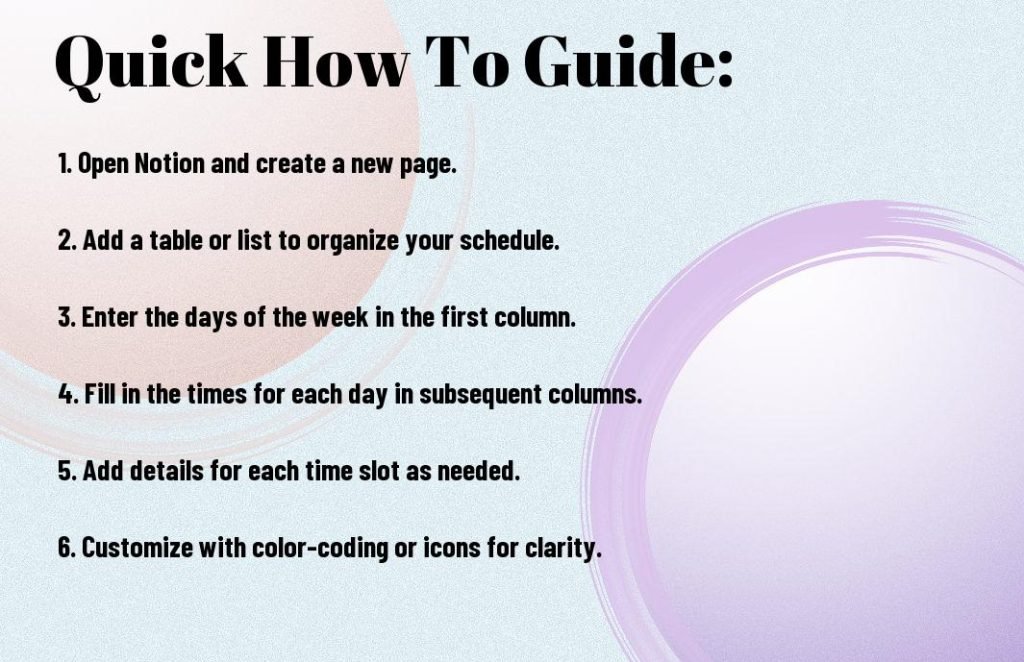
Notion stands out as a highly customizable workspace that combines note-taking with project management capabilities. It allows users to create databases, wikis, and calendars, making it a one-stop solution for organizing both personal and professional information. Notion’s flexibility in creating interconnected pages and its collaborative features make it ideal for team projects or individual users seeking a personalized productivity tool. The app’s intuitive interface and rich media support enable you to design your workspace to fit your specific needs, enhancing your productivity workflow.
OneNote
Microsoft’s OneNote offers a familiar and user-friendly interface that integrates seamlessly with the Microsoft Office suite. OneNote allows you to organize your notes into notebooks, sections, and pages, providing a structured approach to information management. Its ability to clip web pages, annotate documents, and collaborate in real-time makes it a powerful tool for both students and professionals. OneNote’s cross-platform synchronization ensures that your notes are always up to date, whether you’re using a desktop, tablet, or smartphone.
These note-taking apps not only offer diverse functionalities but also cater to various organizational styles, making them essential tools in your personal workflow management system. By leveraging the capabilities of Evernote, Notion, and OneNote, you can enhance your productivity, streamline your workflow, and ensure that your ideas and information are well-organized and easily accessible.
Time Management Apps to Stay Focused
Time management is crucial for maintaining productivity, and several apps can help you achieve this by tracking your time, setting goals, and analyzing your productivity patterns.
RescueTime
RescueTime is an app that runs in the background on your devices, automatically tracking the time you spend on applications and websites. It provides detailed reports that help you understand your habits and identify areas for improvement. With features like goal setting and alerts, RescueTime encourages you to stay focused and manage your time effectively. By identifying distractions and time-wasting activities, you can adjust your workflow to enhance productivity.
Focus@Will
Focus@Will is a unique app that combines neuroscience and music to help you concentrate better. It offers a variety of music channels that are specifically designed to boost focus and minimize distractions. By choosing music that aligns with your work style, you can cultivate an atmosphere that boosts focus and productivity. The app also includes a timer feature that allows you to work in focused intervals, similar to the Pomodoro technique.
Toggl
Toggl is a versatile time-tracking app that is ideal for both individuals and teams. It allows you to track the time spent on various tasks and projects, providing insights into how you allocate your time. With features like project tracking, reporting, and integration with other productivity tools, Toggl helps you manage your time more efficiently. By analyzing your time usage, you can make informed decisions to optimize your workflow and improve productivity.
Implementing techniques such as the Pomodoro method in conjunction with these apps can further boost your focus by breaking work into manageable intervals with scheduled breaks, ensuring you maintain high levels of concentration and productivity.
Securing Personal Data with Password Managers
In an era where digital security is paramount, using password managers is essential to protect your sensitive information. These tools securely store your passwords and provide easy access to your accounts, ensuring that your personal data is protected from unauthorized access.
LastPass
LastPass is a popular password manager that offers a secure vault to store your passwords and other sensitive information. It features a password generator to create strong, unique passwords for each of your accounts, reducing the risk of security breaches. With LastPass, you can easily access your passwords across multiple devices, thanks to its cross-platform synchronization. The app also offers secure sharing options, allowing you to share passwords with family members or colleagues safely.
1Password
1Password is known for its robust security features and user-friendly interface. It allows you to store not only passwords but also credit card information, secure notes, and more. With its Watchtower feature, 1Password alerts you to any security vulnerabilities, such as weak or compromised passwords. The app’s Travel Mode feature ensures that only essential information is accessible when you’re on the move, adding an extra layer of security.
Dashlane
Dashlane offers a comprehensive password management solution with features like password health reports, dark web monitoring, and a VPN for secure browsing. Its intuitive interface makes it easy to manage your passwords and personal information. Dashlane’s Password Changer feature can automatically update your passwords for supported sites, saving you time and enhancing security. The app’s ability to securely store and autofill passwords across devices makes it a convenient choice for managing your digital life.
Cross-Platform Synchronization for Seamless Access
Cross-platform synchronization is vital for accessing data anytime, anywhere. Productivity apps that offer this functionality enable seamless work across different devices and ensure that your files and information are always up to date.
Google Drive
Google Drive provides a cloud-based solution for storing and accessing your files from any device. With its integration with Google Workspace apps like Google Docs, Sheets, and Slides, you can collaborate on documents in real-time. Google Drive’s powerful search capabilities make it easy to find files quickly, while its sharing options allow you to control access and collaborate with others. The app’s offline access feature ensures that you can work on your files even without an internet connection.
Dropbox
Dropbox is a versatile cloud storage solution that offers seamless file synchronization across devices. It supports a wide range of file types, making it ideal for storing and sharing various kinds of content. Dropbox’s integration with productivity tools like Slack and Zoom enhances its functionality, allowing you to streamline your workflow. With features like file versioning and recovery, Dropbox ensures that your data is safe and easily accessible, even if you accidentally delete or overwrite a file.
By incorporating these productivity apps and tools into your personal workflow management system, you can enhance your efficiency, stay organized, and maintain a secure digital environment. These tools empower you to manage your tasks and information effectively, ensuring that you remain productive and focused on achieving your goals
You can boost your efficiency by integrating these productivity applications and tools into your personal system for managing workflow.
Note-Taking and Information Management
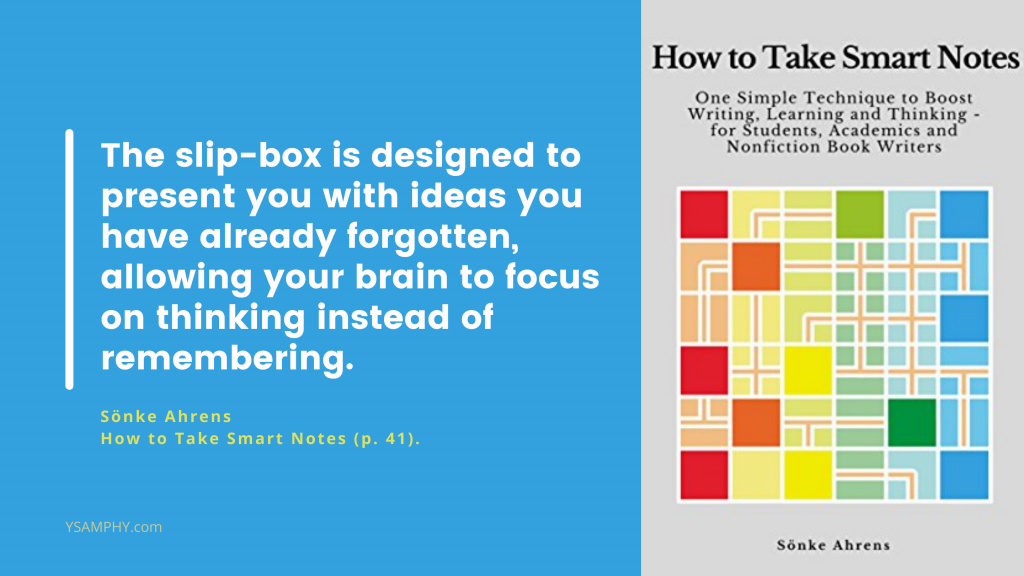
In the realm of personal workflow management, effective note-taking and information management are pivotal to success. By harnessing the power of modern note-taking apps, you can seamlessly capture, organize, and access your ideas and essential information. This section delves into the strategies and tools that can enhance your productivity workflow, ensuring your thoughts are well-organized and readily available when needed.
Mastering the Art of Note-Taking
Capturing and organizing your ideas has never been more crucial. A dependable note-taking app can become your go-to companion in this task. With platforms like Evernote, Notion, and OneNote, you have intuitive spaces to jot down thoughts, brainstorm ideas, and store essential information. By effectively utilizing these tools, you can keep your ideas safe and easily accessible whenever inspiration strikes.
Centralized Information Management: A Game Changer
Having a centralized information management system is crucial for maintaining a clear and structured workflow. With all your notes and data in one place, you can easily access and manage your information, reducing the time spent searching for scattered pieces of data. This system not only enhances your productivity but also streamlines your workflow, allowing you to focus on more critical tasks.
The Power of Tags and Links
One of the significant advantages of modern note-taking apps is the ability to use tags and links to connect your notes. By tagging your notes with relevant keywords, you can quickly categorize and retrieve information. Links allow you to create a network of related notes, providing a holistic view of your ideas and projects. Embracing these features can transform your note-taking experience, making it more efficient and organized.
By mastering note-taking and information management, you can enhance your productivity workflow, ensuring that your ideas are well-captured and easily accessible. This organized approach is a vital component of personal workflow management, empowering you to manage your tasks and projects with greater ease and efficiency.

Time Management and Focus
Effectively managing your time and maintaining focus are key components of a successful productivity workflow. This section explores essential strategies and tools to help you optimize your schedule and enhance your concentration.
Leveraging Time Management Apps
Time management apps are essential tools for staying focused and on track. By utilizing these apps, you can effectively organize your schedule, set reminders, and allocate time for important tasks. Apps like RescueTime and Toggl help you monitor your productivity patterns, enabling you to make informed decisions about how to best utilize your time.
Setting Clear Goals and Deadlines
Understanding the importance of setting clear goals and deadlines is crucial for maintaining focus and motivation. By defining specific objectives and timelines, you can prioritize your tasks effectively, ensuring that you stay on course to achieve your desired outcomes.
Boosting Productivity with the Pomodoro Technique
The Pomodoro technique is a proven method for enhancing productivity by breaking work into manageable intervals, typically 25 minutes, followed by short breaks. This approach helps maintain focus and prevents burnout, allowing you to accomplish more in less time.

Digital Organization and Security
Ensuring your personal data is both organized and secure is crucial in managing your digital life effectively. By adopting robust strategies for digital organization and security, you can streamline your information management and safeguard your sensitive data from potential threats.
Utilizing Cloud Storage
Cloud storage solutions, such as Google Drive and Dropbox, allow you to access your files from anywhere, providing a seamless way to manage your digital information. By storing your documents in the cloud, you can collaborate with others and ensure that your data is always up to date and easily accessible.
Securing Personal Data with Password Managers
Using a password manager is essential for securing your personal data. Tools like LastPass and 1Password enable you to securely store and manage your passwords, reducing the risk of unauthorized access and enhancing your digital security.
Enhancing Security with Two-Factor Authentication
Implementing two-factor authentication adds an extra layer of security to your accounts, making it more difficult for unauthorized users to gain access. By requiring a second form of verification, you can protect your sensitive information and maintain peace of mind.

Customizing Your Workflow
Crafting a workflow that aligns with your individual preferences and goals is essential for maximizing productivity and efficiency. By tailoring your approach, you can create a system that supports your unique needs
Tailoring Your Workflow to Personal Needs
Customizing your workflow to align with your personal needs and goals is vital for maximizing efficiency. By assessing your unique requirements and preferences, you can develop a system that supports your productivity and enhances your overall performance.
Regularly Reviewing and Refining Your Workflow
Regularly reviewing and refining your workflow is essential for ensuring that it remains effective. By identifying areas for improvement and making necessary adjustments, you can optimize your processes and maintain a streamlined approach to productivity.
Streamlining Productivity with Workflow Management Systems
Using a workflow management system can significantly streamline your productivity by providing a structured framework for managing tasks and projects. These systems help you stay organized and focused, allowing you to achieve your goals more efficiently.

Overcoming Distractions and Staying Focused
In an age filled with constant interruptions and endless notifications, maintaining focus can often feel like a daunting task. However, by developing effective strategies and utilizing the right tools, you can successfully overcome these distractions and create a focused environment.
Identifying and Overcoming Common Distractions
Identifying and overcoming common distractions, such as social media and email, is crucial for maintaining focus.[1]Brooks, S. (2015). Does personal social media usage affect efficiency and well-being? Computers in Human Behavior, 46, 26–37. By recognizing these interruptions and implementing strategies to manage them, you can enhance your concentration and productivity.
Setting Clear Boundaries and Priorities
Setting clear boundaries and priorities is vital for managing your time effectively. By establishing limits on your work and personal commitments, you can ensure that you focus on what truly matters and avoid unnecessary distractions.
Utilizing Focus-Enhancing Tools
Focus-enhancing tools, such as website blockers, can help you stay on task by limiting access to distracting sites. By using these tools, you can create an environment that supports concentration and productivity.
Maintaining a Healthy Work-Life Balance

Setting Clear Boundaries Between Work and Personal Life
Setting clear boundaries between your work and personal life is essential for maintaining a healthy work-life balance. By defining limits on your professional commitments, you can ensure that you have time for leisure and personal activities.
Taking Breaks and Practicing Self-Care
Taking breaks and practicing self-care are crucial for preventing burnout and maintaining overall well-being. By incorporating regular rest periods and self-care practices into your routine, you can enhance both your productivity and quality of life.
Prioritizing Personal Tasks with Workflow Management Systems
Using a workflow management system to prioritize your personal tasks can help you achieve a balanced and organized life. By structuring your personal responsibilities, you can ensure that they receive the attention they deserve alongside your professional commitments.
Reviewing and Refining Your Workflow

Regularly Reviewing Your Workflow
Regularly reviewing your workflow is essential for ensuring that it continues to meet your needs. By assessing your processes and identifying areas for improvement, you can make necessary adjustments to enhance your productivity.
Identifying Areas for Improvement
Identifying areas for improvement within your workflow allows you to optimize your processes and address any inefficiencies. By focusing on continuous improvement, you can maintain a streamlined and effective approach to productivity.
Streamlining Productivity with Workflow Management Systems
Workflow management systems offer numerous benefits for streamlining productivity. By providing a structured framework for managing tasks and projects, these systems help you stay organized and focused, enabling you to achieve your goals more efficiently.

Putting it All Together: Crafting a Productive Personal Life
Creating a productive personal life can be simplified with a personal workflow management system. By integrating this system into your daily routine, you can efficiently manage tasks and responsibilities, promoting balance and focus. Consistency is crucial to maintaining productivity, and by staying committed and making necessary adjustments, you can achieve personal and professional goals. This structured approach enhances overall satisfaction and success.



